When the job’s done,the invoice is too.

Invoice Mint is the invoice app for contractors, service professionals and small business owners. Build the invoice or estimate on the job, send it before you leave, and see what’s still owed.

Free to start · No account needed to create your first invoice · iPhone

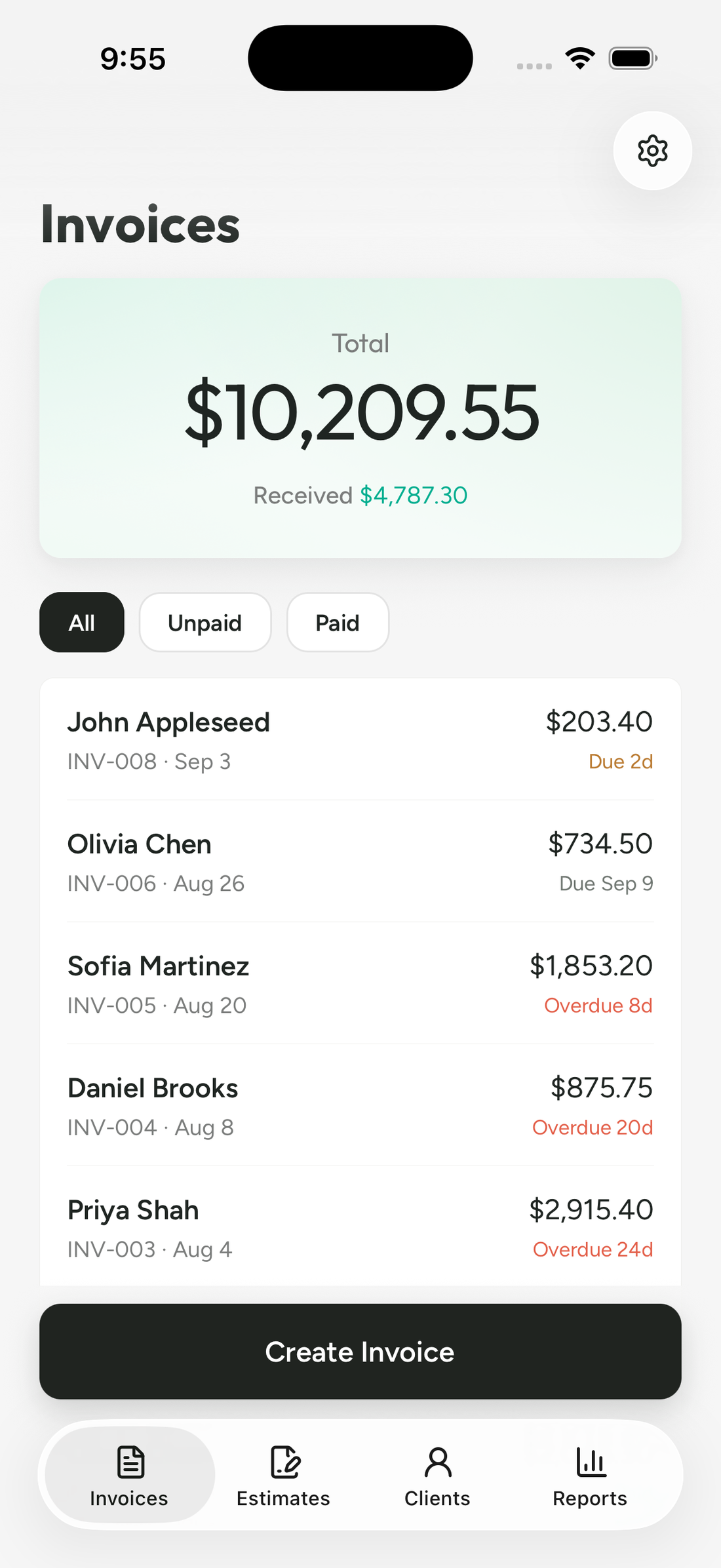
The Invoice Mint invoice list on iPhone, showing a $10,209.55 total, $4,787.30 received, and five client invoices with due and overdue labels.

For the people doing the work. And the paperwork.

Whether you work on your own or run a small team, Invoice Mint keeps the paperwork moving. Quote the job, send a professional invoice and track what’s paid — across these trades and beyond.

  • General contracting
  • Handyman
  • Painting
  • Landscaping & lawn care
  • Cleaning
  • Plumbing
  • Electrical
  • HVAC
  • Roofing
  • Flooring & tiling
  • Carpentry & decks
  • Pressure washing
  • Mobile mechanics
  • Auto detailing
  • Junk removal
  • Tree care
  • Moving services
  • Photography & events

Less “I’ll invoice tonight.”
More done.

From the details of the job to a clear record of what’s paid. All on your phone.

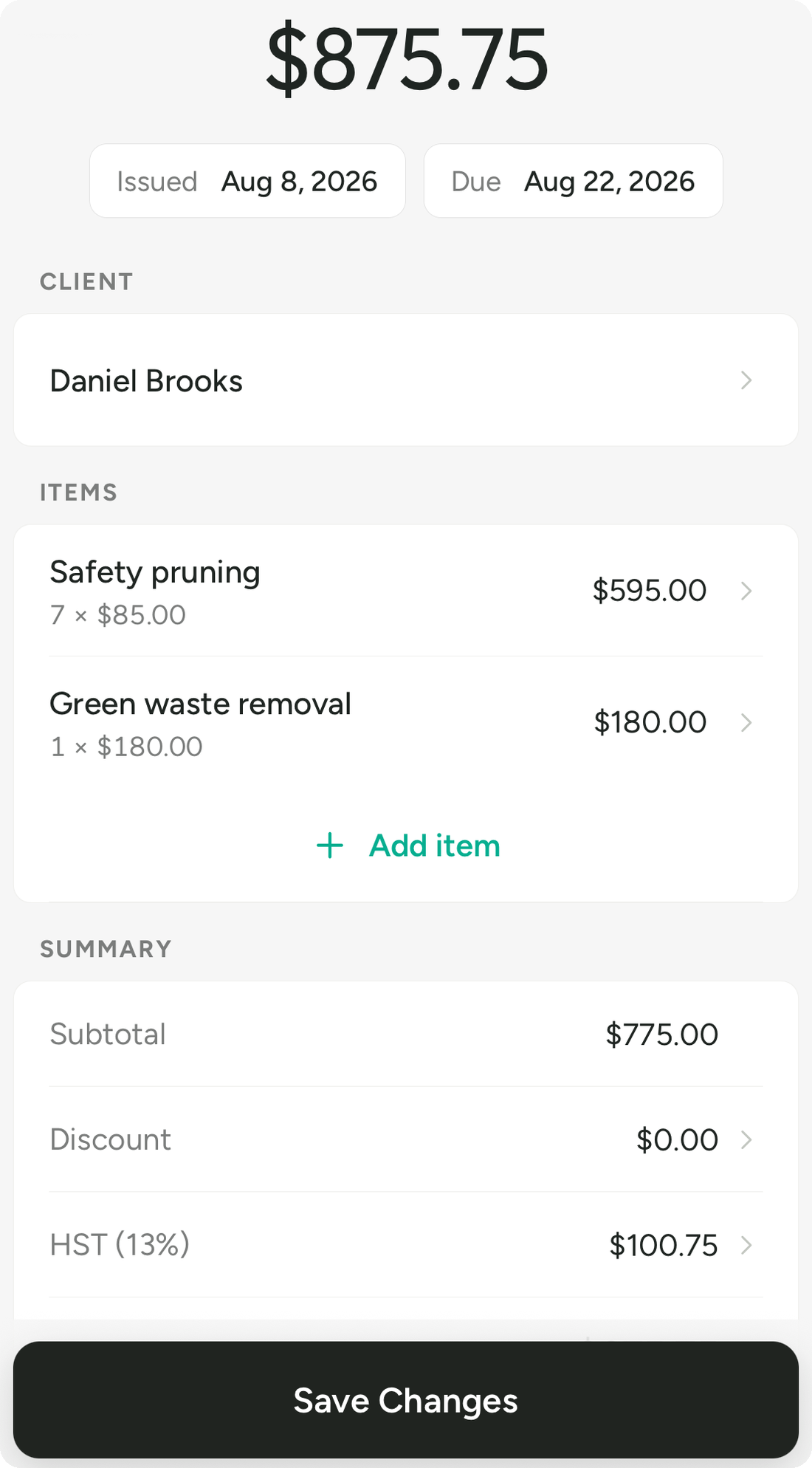
The Invoice Mint invoice editor: an $875.75 total, issue and due dates, saved client, line items, discount and HST.
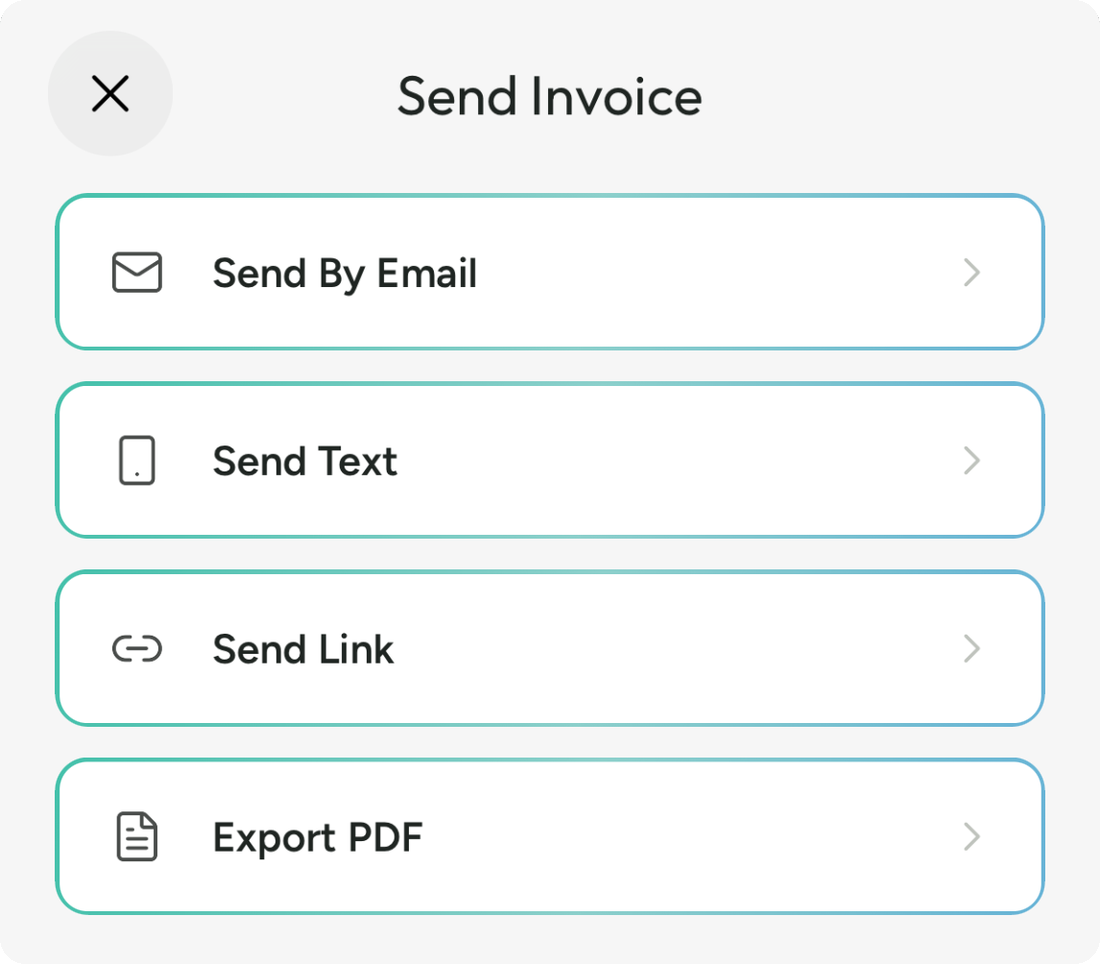
Invoice Mint send options: Send By Email, Send Text, Send Link and Export PDF.
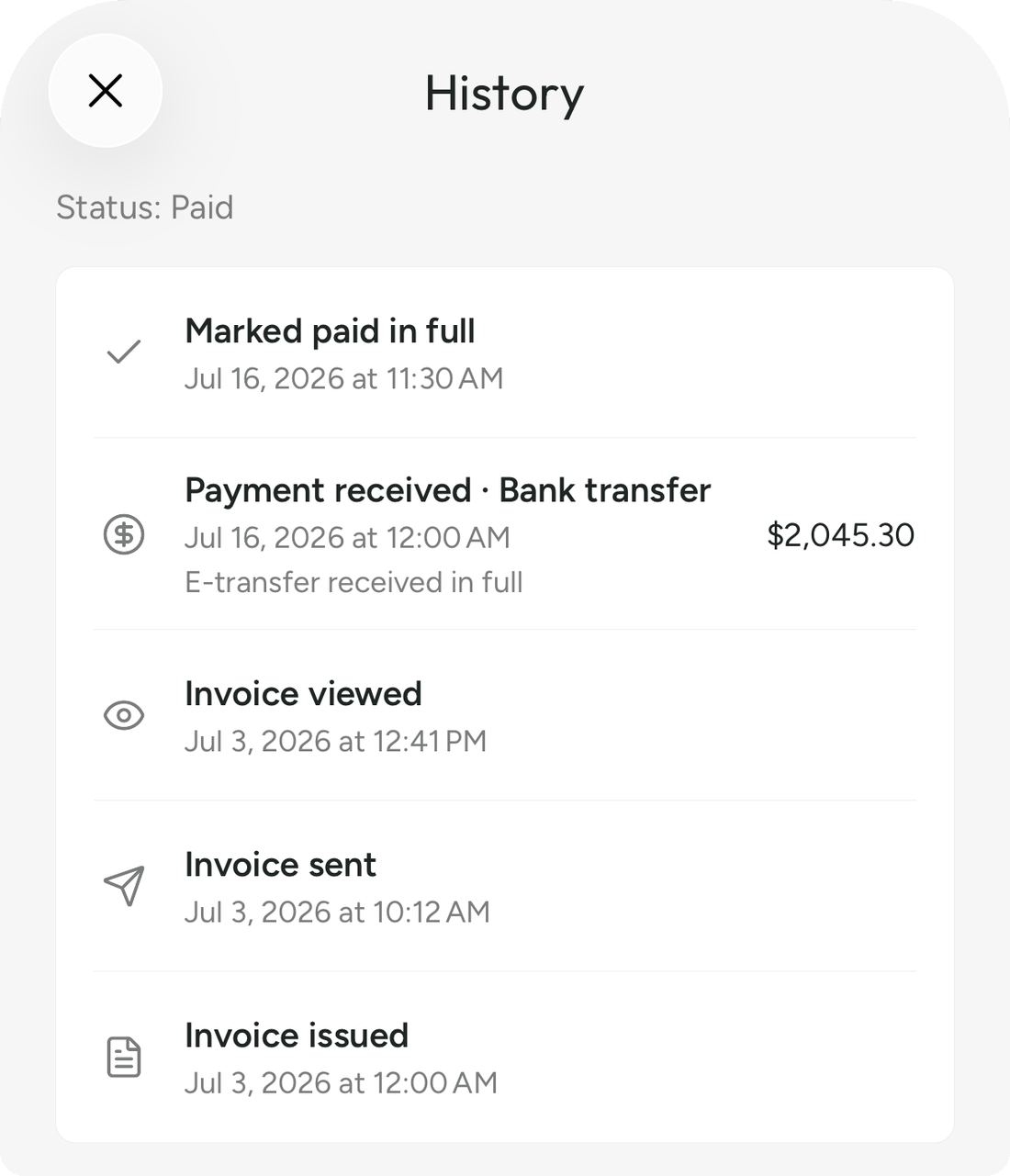
An Invoice Mint document history: invoice issued, sent and viewed, then a $2,045.30 bank transfer recorded and the invoice marked paid in full.

Professional invoices and estimates for your business

Your work looks good. Your invoice should too.

Put your name, logo and business details on a clear, professional document. Give your client an itemised record of the work, the total and when payment is due.

  • Your logo and business details on every document
  • Eight templates, from classic to modern, in your brand colours
  • Consistent numbering, issue dates and due dates
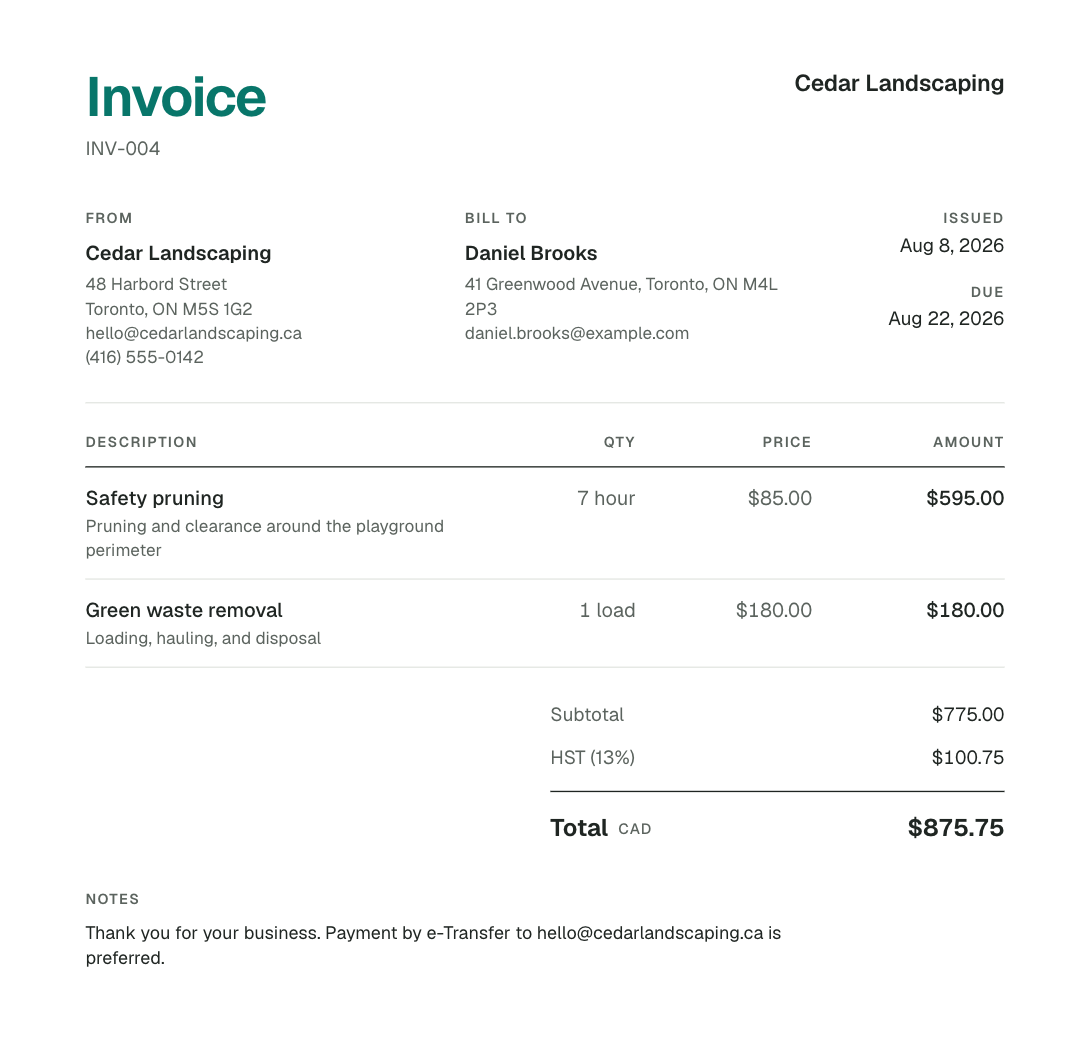
An invoice built in Invoice Mint for Cedar Landscaping: from and bill-to details side by side, itemised work with prices, HST and an $875.75 CAD total.

From “send me a quote” to ready to invoice.

Send an estimate while the walkthrough is fresh. Your client can accept or request changes online. When the job is won, turn the estimate into an invoice without retyping the work.

  • Professional estimates from the same editor
  • Clients accept, decline or request changes on the link
  • One-tap conversion from estimate to invoice
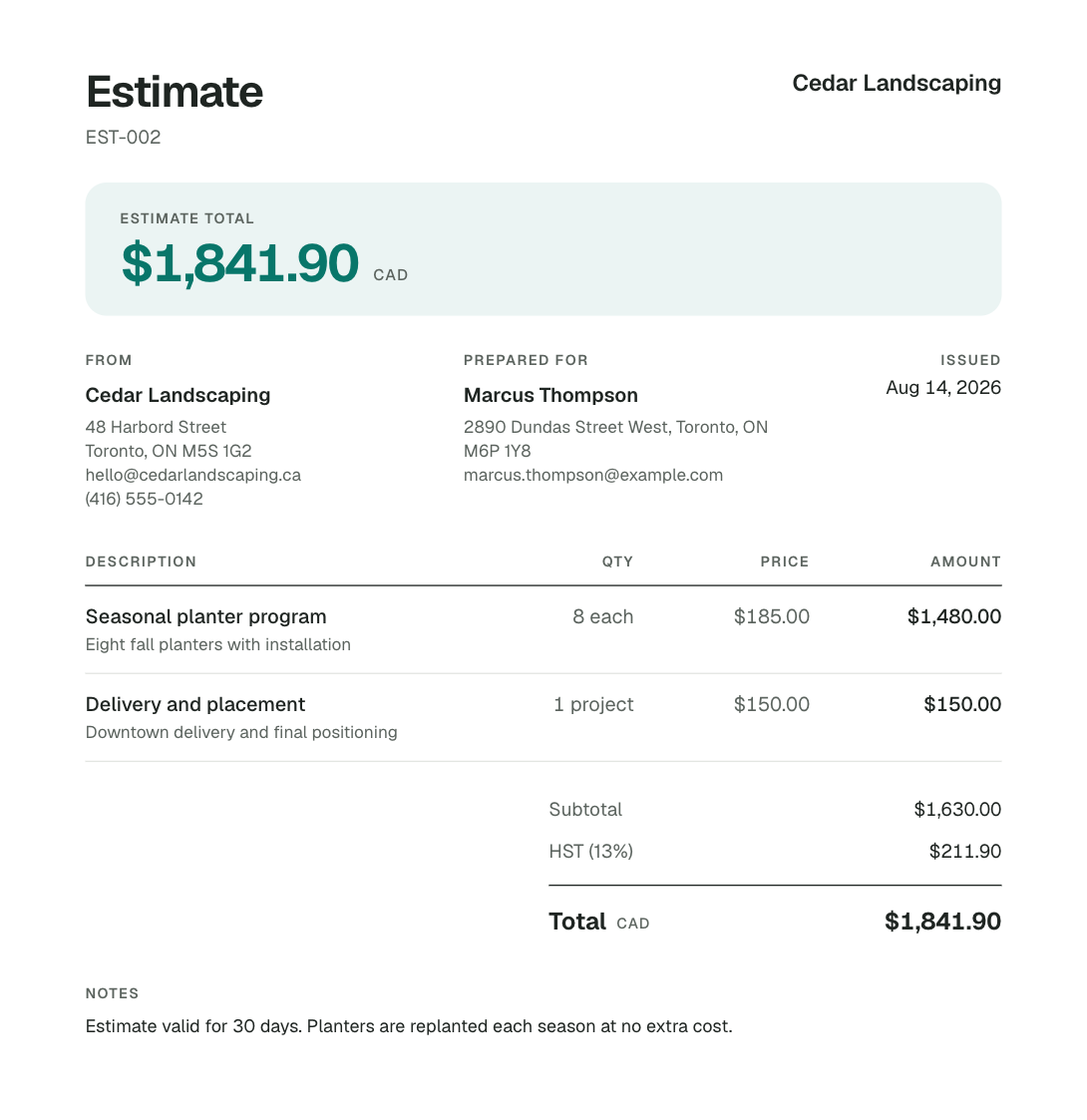
An estimate built in Invoice Mint for Cedar Landscaping that leads with its $1,841.90 total, ready to send to the client for approval.

The little things, already handled.

Keep the details you use every day close at hand.

  • Saved Items

    Save services, materials and prices once, then reuse them on every job.

  • Client records

    Import a contact or add a client, and their details fill in from then on.

  • Photos and signatures

    Attach job photos with captions and collect a client signature on the phone.

  • Taxes and discounts

    Set your tax rates once. Apply line or document discounts when a job calls for it.

Free to create. Pro to send.

Start with your own invoice.

Try your logo, your client and your next job. See how it feels before choosing a subscription.

Available when Invoice Mint launches on iPhone.

Free

Create & edit

Build invoices and estimates with your business details. No account needed to start drafting.

Invoice Mint Pro

Send & export

Sending and PDF export require an account and a Pro subscription or eligible trial. Prices and trial terms are shown before you confirm in the app.

Questions, answered

Something else on your mind?
Talk to us

When can I download Invoice Mint?

Invoice Mint is coming soon to iPhone. It is not yet available on the App Store. Join the waitlist on this page and we’ll email you once, on launch day.

What is Invoice Mint?

Invoice Mint is an iPhone app for creating, sending and tracking invoices and estimates. It is built for service professionals, contractors and small business owners, whether they work on their own or run a small team. Manage quotes, send professional documents and keep payment records from your phone.

Do I need an account to try it?

No. You can download Invoice Mint and create and edit invoices and estimates with your own business details before signing in. An account is required when you are ready to send a document or export a PDF, because those run through our cloud service.

Is Invoice Mint free?

Invoice Mint is free to download, and creating and editing documents is free. Sending and PDF export require an Invoice Mint Pro subscription or an eligible trial. Plans and any trial terms are shown in the App Store purchase sheet before you confirm.

Does my client need the app to see the invoice?

No. You send a link, and your client opens the document in any browser on any device. There is nothing for them to install and no account for them to create. They can view the invoice or estimate, see the payment status, and accept or decline an estimate directly on the page.

Can I turn an estimate into an invoice?

Yes. When a client accepts an estimate, one tap converts it into an invoice draft with the client, line items, taxes and totals already in place. You do not retype anything.

Can I tell if my client opened the invoice?

Yes, for documents you send as a hosted link. Each document keeps a history showing when it was issued, sent and viewed, with dates and times. A recorded view confirms the page was opened; it does not verify who opened it.

Does Invoice Mint process payments?

Invoice Mint records the payments you receive — the amount, date and method — and keeps the balance current on the invoice and for your client. Recording a payment is not the same as processing one; you still collect by cash, cheque, e-transfer, card or whatever you already use.

Is this accounting software?

No, and that is deliberate. Invoice Mint does not do payroll, inventory, purchase orders, double-entry bookkeeping, scheduling or dispatch. It handles the paperwork that gets you paid, without the setup a full accounting suite demands.

Who is Invoice Mint for?

Invoice Mint is built around the day-to-day needs of service professionals, contractors and small businesses that quote and invoice clients. That includes general contractors, painters, landscapers, cleaners, plumbers, electricians, mechanics, photographers and more. Whether you work solo or handle invoicing for a small team, you can create branded documents, reuse saved clients and prices, and track payments.

Is there an Android version?

Invoice Mint is built for iPhone. There is no Android version or announced Android release date. You can share your interest with support@invoicemint.app.

Job done.Invoice sent.

Coming soon to iPhone. Join the waitlist and we’ll email you once, on launch day.

We use your email only for Invoice Mint launch news. Privacy